BlizzAir Overview
BlizzAir is a wall-mounted, plug-in personal AC and heater built around what the manufacturer brands "FrostCore" heat-exchange technology. It skips installation entirely — no window kit, no wall bracket, no electrician — and switches between six climate modes from a touchscreen panel or the included remote.
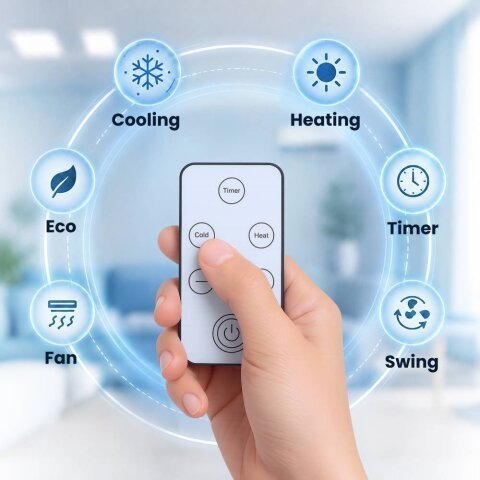
What Is BlizzAir?
BlizzAir targets a familiar problem for renters and small-space owners: a real mini-split or window AC needs drilling, a wall bracket, or landlord approval, while a box fan just moves hot air around without cooling it. BlizzAir is built to skip that installation step entirely — you plug it into a standard outlet and place it where you need the airflow.
The manufacturer's FrostCore system draws warm air in through the unit's vents, passes it over a pair of internal cooling coils, and pushes a cooled (or heated, in Heat mode) stream back into the room. Per the manufacturer's own FAQ, condensation evaporates inside the unit rather than draining into a hose or tank — no maintenance step is described beyond plugging it in and picking a mode.
No Installation, No Permanent Fixture
The core differentiator here isn't the cooling technology itself — it's that BlizzAir never becomes part of the wall. There's no bracket to mount, no window kit to fit, and no hole to patch when you move out. That matters most for renters who are contractually barred from permanent AC installs and are otherwise stuck choosing between an unauthorized install and a fan.
Key Features & Specifications
- FrostCore Heat-Exchange Tech: The manufacturer's branded dual-coil system for drawing in warm air and returning a cooled or heated stream.
- 6 Climate Modes: Cool, Heat, Eco, Timer, Fan, and Swing — switchable from the touchscreen or remote.
- Zero-Install Setup: Plugs into any standard household outlet; no wall mount, window kit, or electrician needed.
- Touchscreen + Remote Control: Adjust modes and settings directly on the unit or from across the room.
- Fully Portable: Unplug and move it to a different room in about a minute.
- Room Coverage: Manufacturer-stated up to 550 sq ft (not independently tested).
How to Set Up BlizzAir
- Plug It In: Connect the unit to any standard household power outlet, wherever you want the airflow.
- Choose a Mode: Use the touchscreen or remote to select from Cool, Heat, Eco, Timer, Fan, or Swing.
- Adjust and Relax: Fine-tune the temperature and fan speed from the remote without getting up.
Who It's Designed For
BlizzAir is aimed at renters, apartment dwellers, and anyone who wants heat and cool from a single device in one room without a fixed installation. It's a better fit for someone shopping for a strong personal-comfort plug-in than for someone expecting whole-room, refrigerant-grade air conditioning — nothing on the manufacturer's page describes a compressor, refrigerant line, or exhaust venting, so treat the specific temperature and room-size figures as marketing specs rather than lab-verified results.